|
32.6 Create a Quote using Tasks |
  
|
|
32.6 Create a Quote using Tasks |
|
32.6.1 When a Job is broken into small manageable items of work using Tasks, you can then use these tasks to fill-in the quote line items and generate a Quote.
32.6.2 Create a Quote and fill-in the required details except the quote line items.
32.6.3 Select Task(s) to include on a Quote
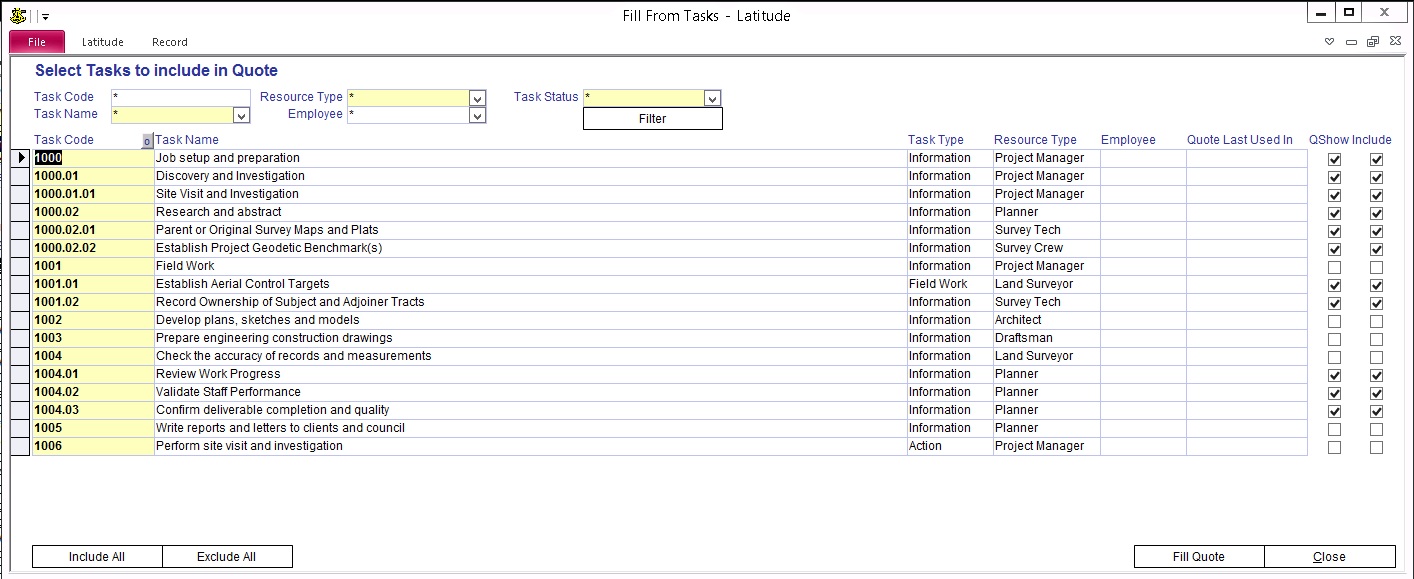
Click 'Fill from Task' button
Tick 'Include' to select which task to appear on the Quote
Click 'Fill Quote' button
Include All - select all Task
Exclude All - deselect all Task
32.6.4 Review Quote
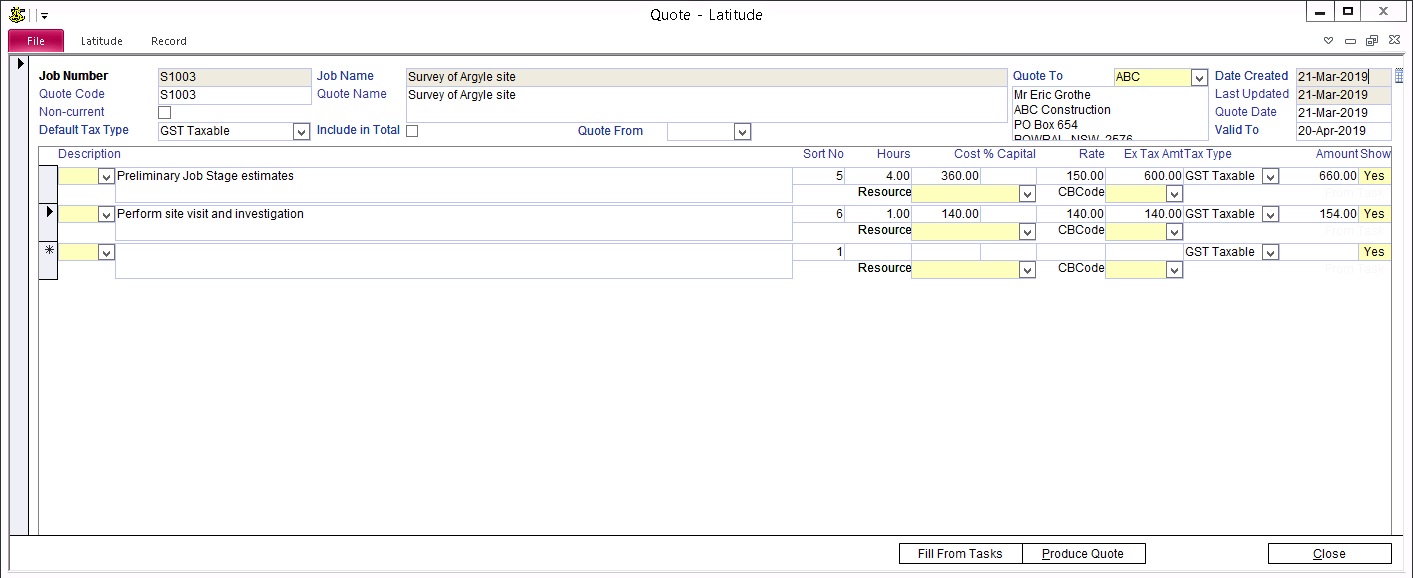
After clicking the 'Fill Quote' button, the quote gets populated using the values from the selected tasks. You may review, add more tasks or print the Quote
)
)